FlowMap
PUBLIC BETA NOTICE (March 8, 2026): FlowMap is in public beta. Licensing is currently local/dev-only preview (no production server-side entitlement enforcement yet).
FlowMap
Swift code graph and impact analysis tool — understand and verify code structure, especially when reviewing AI-generated changes.


What is FlowMap?
FlowMap parses Swift code, builds a workspace-level graph of files, types, functions, and call relationships, and visualizes that graph inside VS Code.
It answers questions like:
- What actually calls this function?
- What breaks if I change this file?
- Is this AI-generated code structurally sound, or just plausible-looking?
- What is the overall shape of this project?
FlowMap is not a compiler replacement. It makes real code structure visible at the workspace level so you can verify relationships directly rather than inferring them.
Why JavaScript is the largest language share
GitHub language percentages reflect implementation layers, not analysis target language.
- JavaScript/TypeScript: VS Code extension host + graph webview UI
- Rust: core graph engine and diff/impact processing
- Swift: SwiftSyntax-based AST parser used as the frontend parser
FlowMap still targets Swift codebases; the JS-heavy ratio comes from editor/runtime integration.
Who it is for
- Developers using AI-assisted coding tools who want to verify what actually changed
- Engineers reviewing unfamiliar Swift codebases
- Anyone who wants a structural view of a Swift project without requiring a full build
Current features
- Swift AST parsing via SwiftSyntax
- File / type / function graph generation
- Same-file and conservative cross-file call linking
- Graph diff for changed files
- Impact analysis over call edges
- VS Code visualization with three modes:
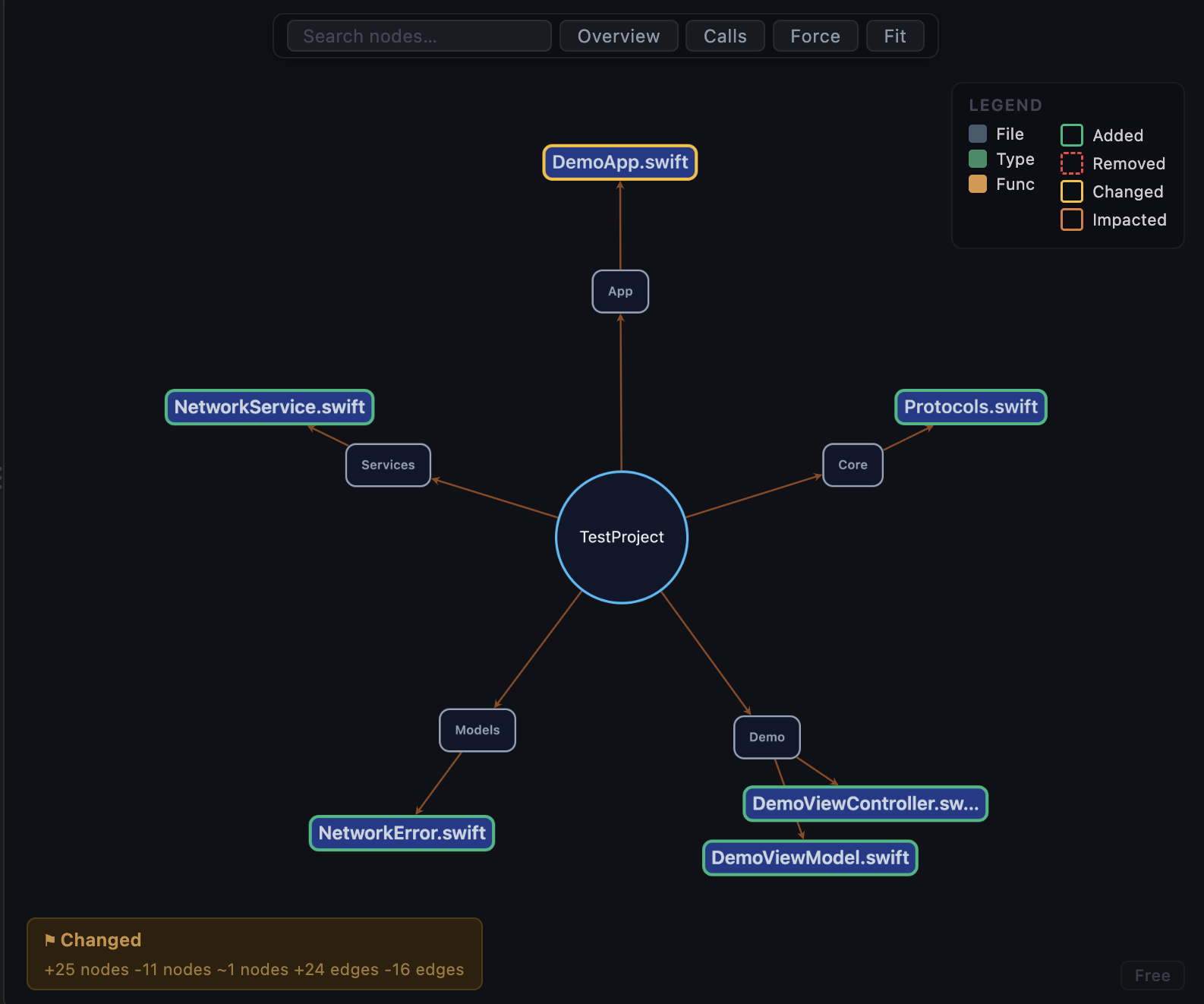
- Overview — project / folder / file structure
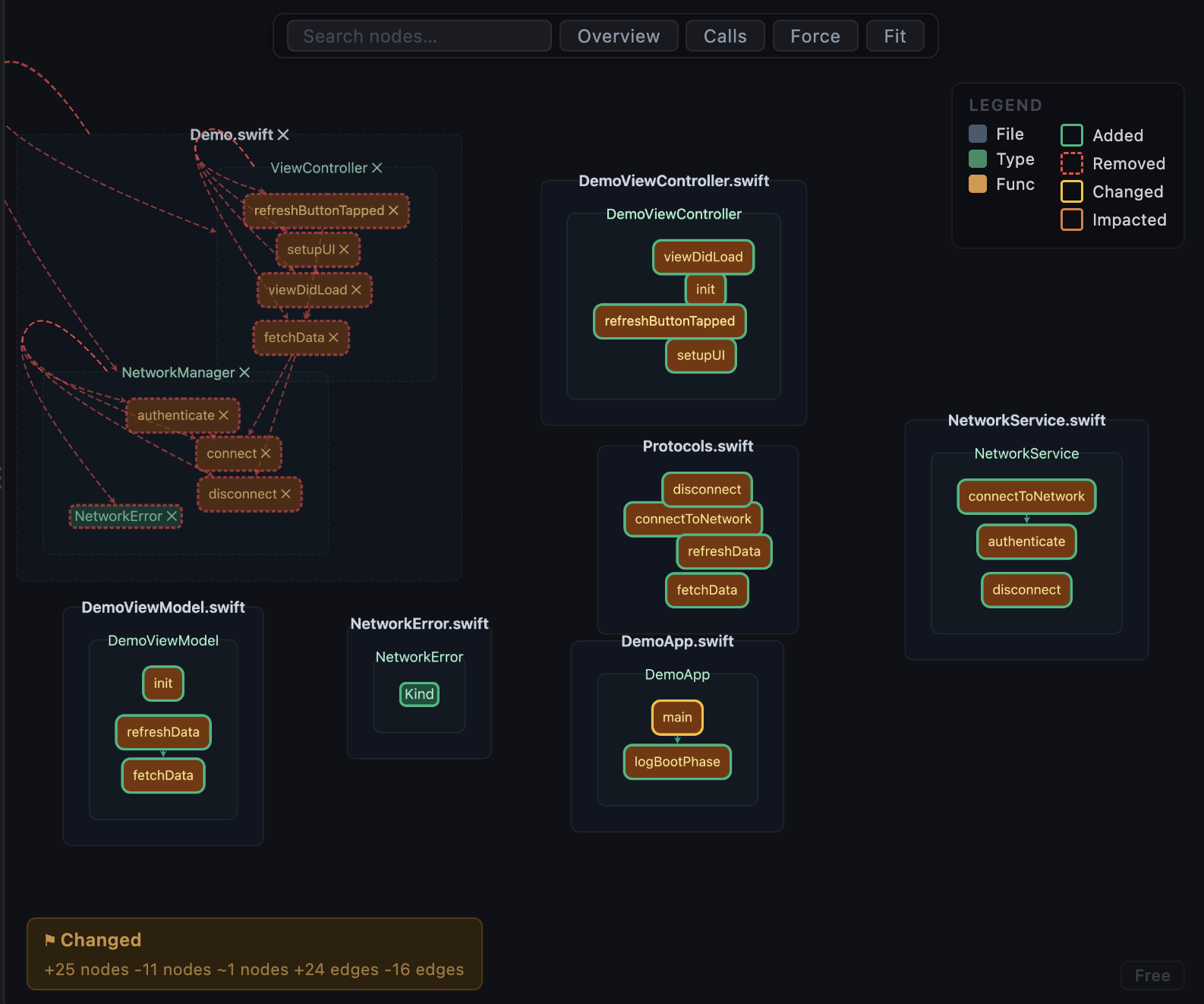
- File Detail — type and function drill-down within a file
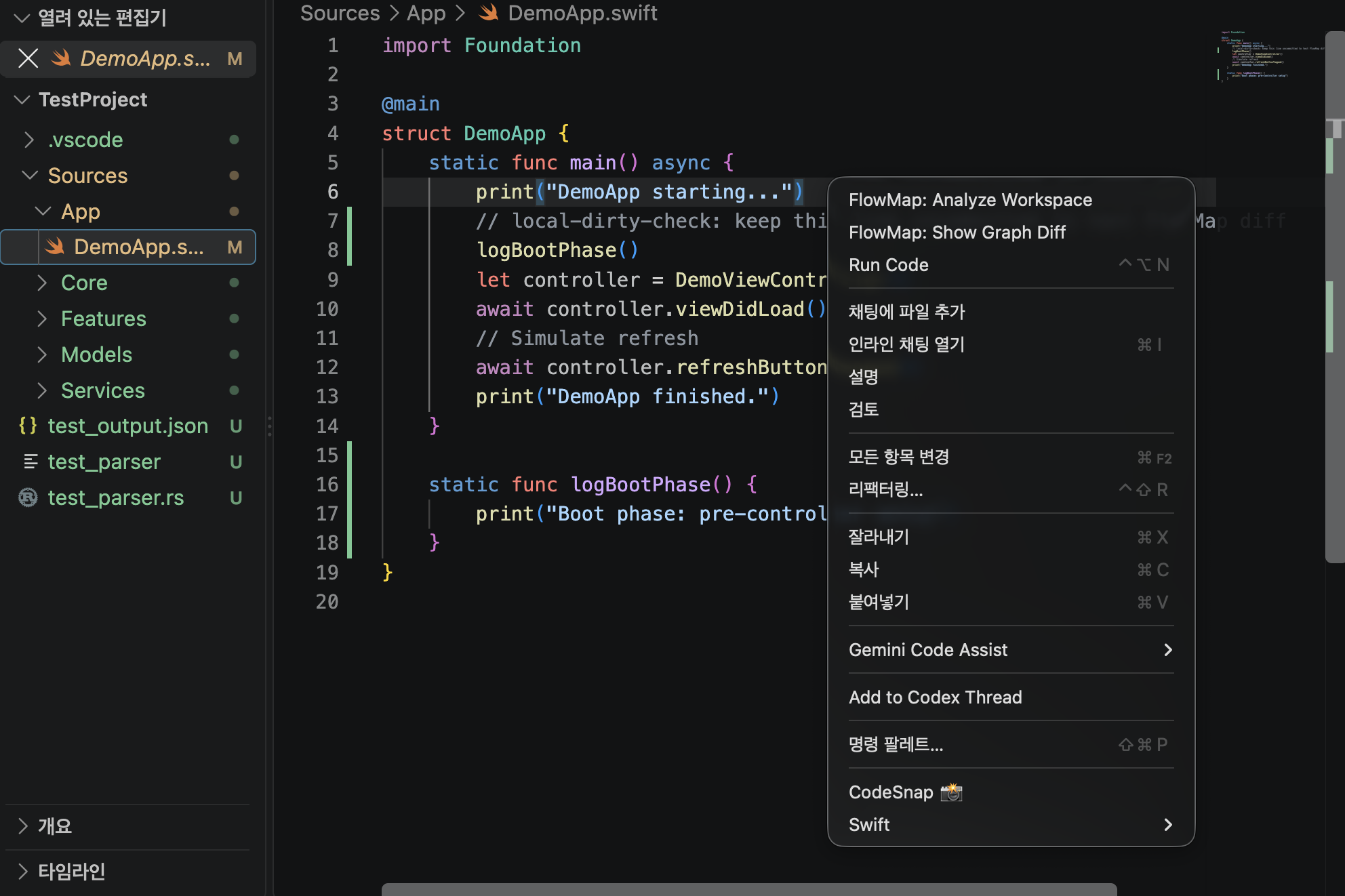
- Calls — call-cluster exploration across the workspace
- Auto-analyze on save
Cross-file call-linking boundaries (current beta)
FlowMap intentionally resolves cross-file calls conservatively to reduce false links. This means some dynamic/indirect patterns are represented at interface level rather than concrete implementation level.
- Protocol-typed call sites may stay on protocol requirement edges.
- Example:
let svc: NetworkServiceProtocol = LiveService(); svc.fetchData()
- Example:
- Extension methods across files are linked when receiver/type context is explicit, but constrained extension dispatch can remain partial.
- Example: extension methods with additional
whereconstraints.
- Example: extension methods with additional
- Generic constraint calls may resolve to the generic/protocol boundary instead of a single concrete type.
- Example:
func run<T: Worker>(_ t: T) { t.work() }
- Example:
This behavior is expected in current public beta and is being expanded incrementally.
Screenshots
Overview mode
File detail mode
Calls mode
Installation
Prerequisites
- macOS only (required for the Swift parser)
- Rust toolchain (rustup.rs)
- Swift toolchain / Xcode command line tools
- Node.js v20 or later
- VS Code
Platform note: Linux/Windows are not supported yet because the current Swift parser build/runtime path depends on macOS Swift toolchain assumptions.
Build
1. Clone the repository
git clone https://github.com/adgk2349/FlowMap-AI_Code_Hallucination_Guard_for_Swift.git FlowMap
cd FlowMap
2. Build the Rust engine
cargo build
3. Build the Swift parser
cd parsers/swift-ast
swift build -c release
cd ../..
Note: replay/scenario validation scripts look for the parser binary at
parsers/swift-ast/.build/debug/flowmap-swift-ast.
If you run those scripts, also build debug once:cd parsers/swift-ast && swift build -c debug.
4. Compile the VS Code extension
cd editor/vscode
npm install
npm run compile
cd ../..
Run in VS Code
- Open the
editor/vscodefolder in VS Code - Press
F5to launch the Extension Development Host - In the new VS Code window, open a Swift workspace
- Run FlowMap: Analyze Workspace from the command palette (
Cmd+Shift+P) - Open the FlowMap Graph panel
Run from VSIX (installed extension)
If you install FlowMap via .vsix, set flowmap.binaryPath to your built engine binary path (for example: /path/to/FlowMap/target/debug/flowmap), then run FlowMap: Analyze Workspace.
Usage
- Open a Swift workspace in VS Code
- Run FlowMap: Analyze Workspace via the command palette
- Explore the graph:
- Overview — browse project structure at a glance
- File Detail — click into a file to inspect its types and functions
- Calls — trace call clusters and follow how functions connect
- Save a file to trigger automatic re-analysis
Validation
FlowMap includes automated replay validation that replays real Git commit pairs and checks whether graph diff changes are detected in the expected direction.
- Commit replay runner:
scripts/run_commit_replay.mjs - Scenario runner (synthetic regression set):
scripts/run_sample_scenarios.mjs - Replay summary builder:
scripts/build_replay_summary.mjs - Detailed validation builder:
scripts/build_validation_detail.mjs
Example:
node scripts/run_commit_replay.mjs \
  --repo /path/to/swift-repo \
  --count 100 \
  --report reports/replay-100.json
Current bundled validation output:
reports/replay-validation-bundle.mdreports/replay-validation-bundle.jsonreports/sample-scenarios-report.jsonreports/public-beta-validation-detail.mdreports/public-beta-validation-detail.json
Latest bundled metrics (reports/replay-validation-bundle.md):
- Total commit pairs: 209
- TP / TN / FP / FN: 106 / 97 / 0 / 6
- Non-Swift FP Rate: 0%
- Swift Detection Rate: 94.64%
- Overall Match Rate: 97.13%
Latest scenario regression (reports/sample-scenarios-report.json):
- Scenario count: 60
- Passed / Failed: 60 / 0
- FP / FN total: 0 / 0
Detailed public beta validation (reports/public-beta-validation-detail.md):
- Non-pass replay cases listed with commit-level detail
- Public beta gate: PASS
License
FlowMap is currently in public beta.
Final licensing terms (including commercial terms) will be announced after the beta period.
Until then, all rights are reserved by the author, except that evaluation use for the public beta is permitted.
For commercial use or redistribution, please contact: adgk2349b@gmail.com
Roadmap
- Improved Swift call resolution coverage
- Better handling of cross-file calls through extensions and protocols
- Additional language support
- Richer diff and impact visualization
- Improved export and sharing options
Contributing
Issues and pull requests are welcome.
- Contribution guide: CONTRIBUTING.md
- Starter tasks: docs/good-first-issues.md
- Use the Issue/PR templates in
.github/
Good areas to contribute:
- Swift parsing edge cases
- Call resolution improvements
- Graph layout and visualization
- Documentation
- VS Code UX polish
Status
FlowMap is now in Public Beta.
- Core graph/diff pipeline is stable enough for external testing.
- Validation artifacts are published under
reports/for transparent review. - Some edge cases in Swift call resolution still exist and are tracked as ongoing improvements.